> ## Documentation Index
> Fetch the complete documentation index at: https://help.mosh.jp/llms.txt
> Use this file to discover all available pages before exploring further.
# 商品を編集・公開設定を変更する
> 作成済み商品の内容編集と公開状態の変更方法
**アクセス経路**
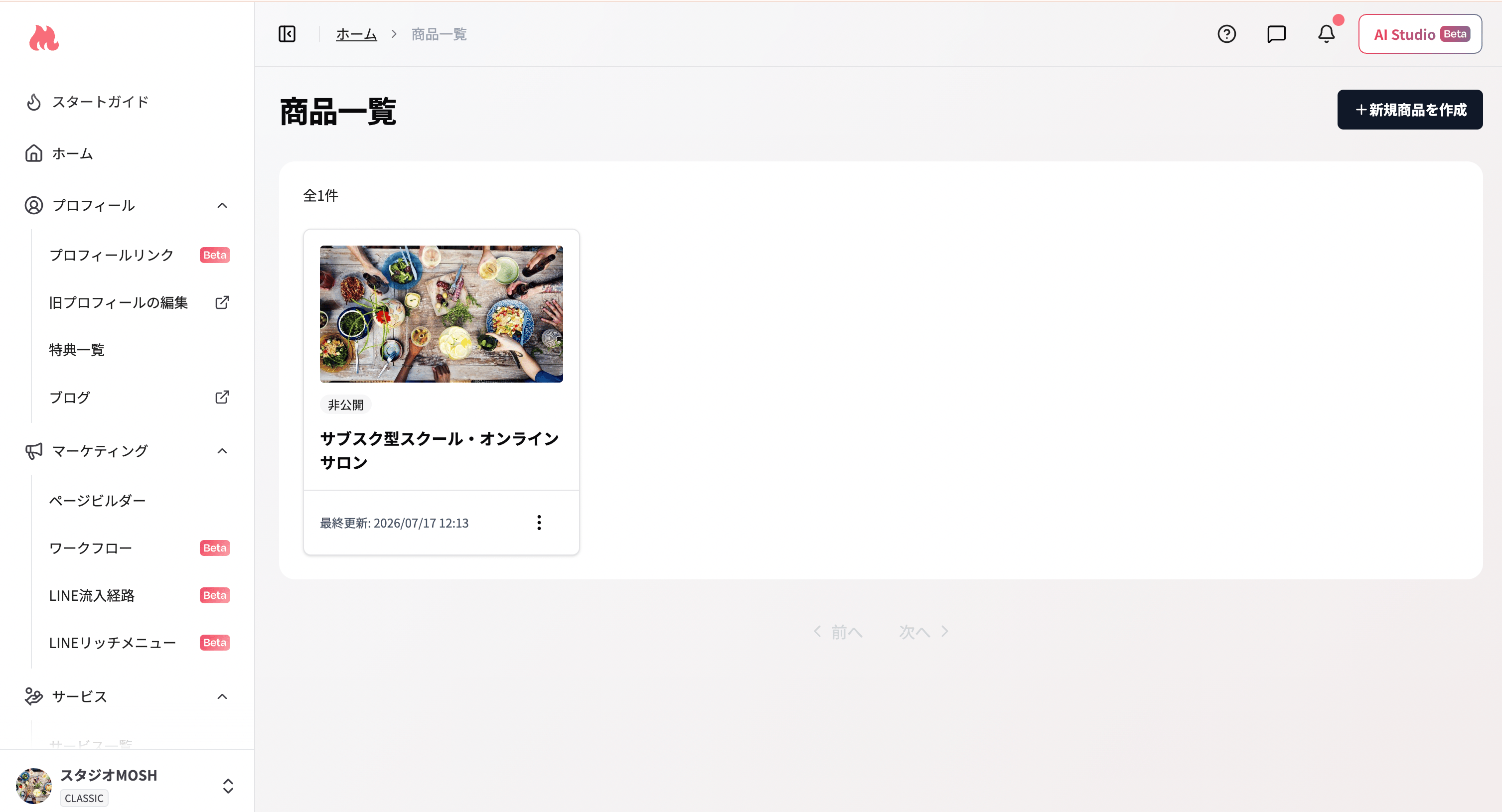
[商品一覧](https://mosh.jp/creator/products) → 該当商品をクリック → 「商品の編集」
 ## 基本情報を編集する
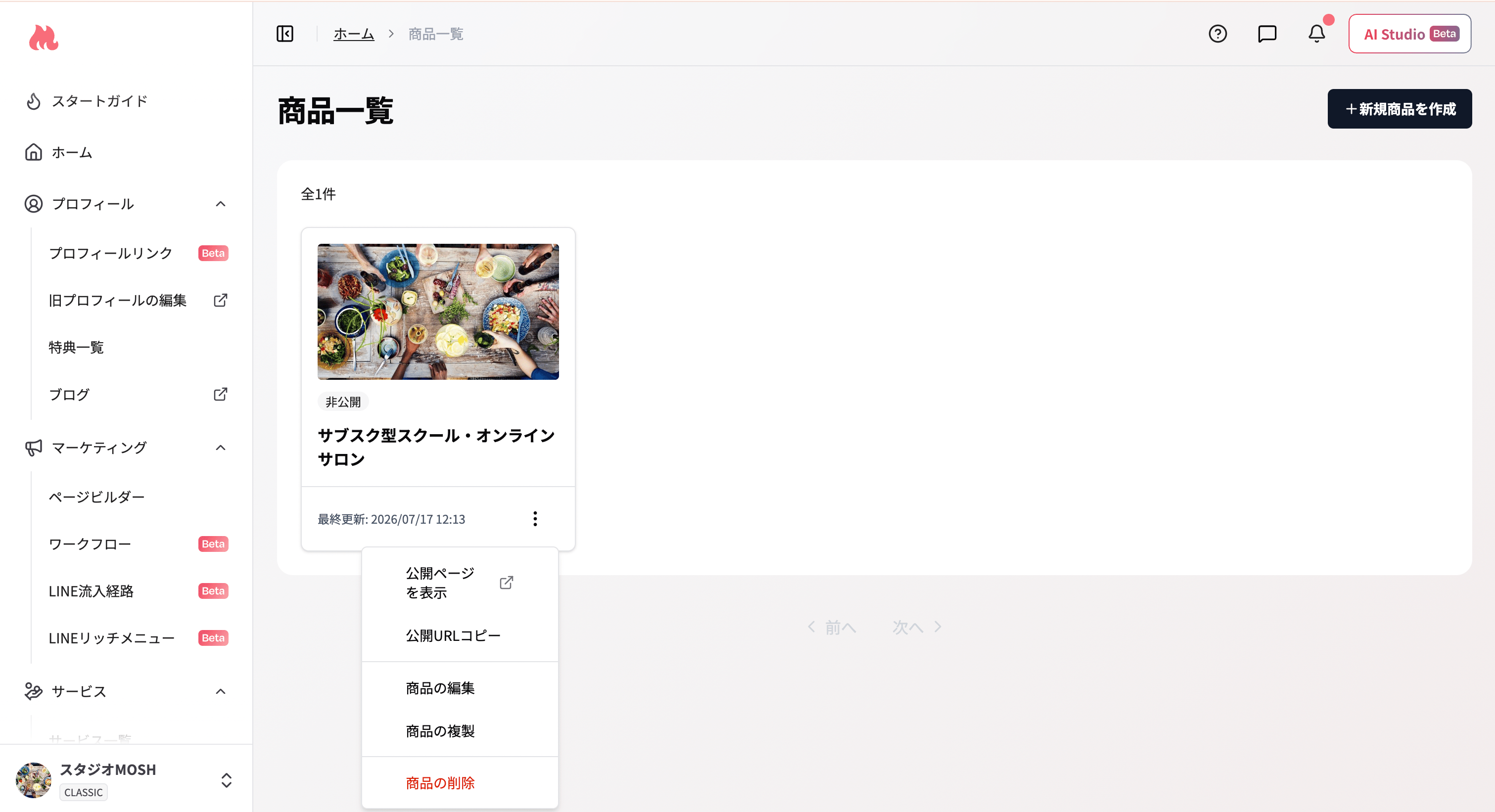
商品詳細ページから「商品の編集」をクリックすると、基本情報の編集画面が開きます。
## 基本情報を編集する
商品詳細ページから「商品の編集」をクリックすると、基本情報の編集画面が開きます。
 | 項目 | 必須 | 説明 |
| ---------- | -- | ---------------------------------------- |
| 商品名 | 必須 | ゲストに表示される商品のタイトル(100文字以内) |
| 商品説明 | 必須 | 商品の内容や魅力を伝える説明文 |
| 商品画像 | 任意 | jpg / png / webp 形式、推奨 600×600px 以上、最大7枚 |
| 申し込み後の流れ | 任意 | 購入後にゲストが行うステップを設定(例:LINE追加、教材ダウンロードなど) |
| 商品に関する注意事項 | 必須 | 受講条件や必要な準備物など |
| キャンセルポリシー | 必須 | キャンセル・返金に関するルール |
編集が完了したら「保存」をクリックしてください。
| 項目 | 必須 | 説明 |
| ---------- | -- | ---------------------------------------- |
| 商品名 | 必須 | ゲストに表示される商品のタイトル(100文字以内) |
| 商品説明 | 必須 | 商品の内容や魅力を伝える説明文 |
| 商品画像 | 任意 | jpg / png / webp 形式、推奨 600×600px 以上、最大7枚 |
| 申し込み後の流れ | 任意 | 購入後にゲストが行うステップを設定(例:LINE追加、教材ダウンロードなど) |
| 商品に関する注意事項 | 必須 | 受講条件や必要な準備物など |
| キャンセルポリシー | 必須 | キャンセル・返金に関するルール |
編集が完了したら「保存」をクリックしてください。
 ## 公開設定を変更する
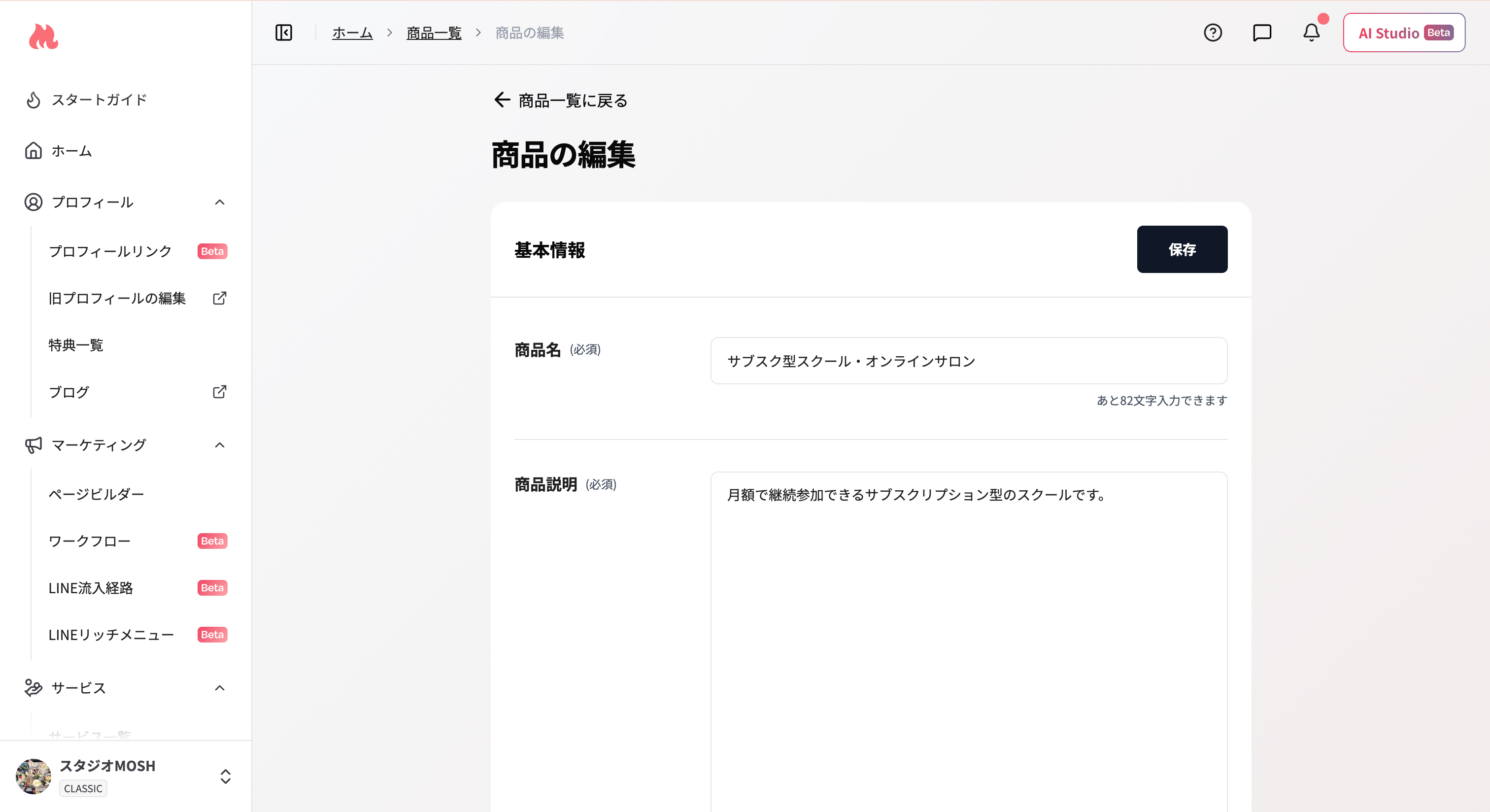
商品詳細ページの右上にある公開設定ボタンから変更できます。
| 設定 | 説明 |
| -------- | ----------------------------------------- |
| **一般公開** | すべての人が閲覧・申し込みできます。MOSHのプロフィールページにも表示されます |
| **限定公開** | URLを知っている人だけが閲覧・購入できます。プロフィールページには表示されません |
| **非公開** | 下書き状態です。ゲストには表示されません |
## 公開設定を変更する
商品詳細ページの右上にある公開設定ボタンから変更できます。
| 設定 | 説明 |
| -------- | ----------------------------------------- |
| **一般公開** | すべての人が閲覧・申し込みできます。MOSHのプロフィールページにも表示されます |
| **限定公開** | URLを知っている人だけが閲覧・購入できます。プロフィールページには表示されません |
| **非公開** | 下書き状態です。ゲストには表示されません |
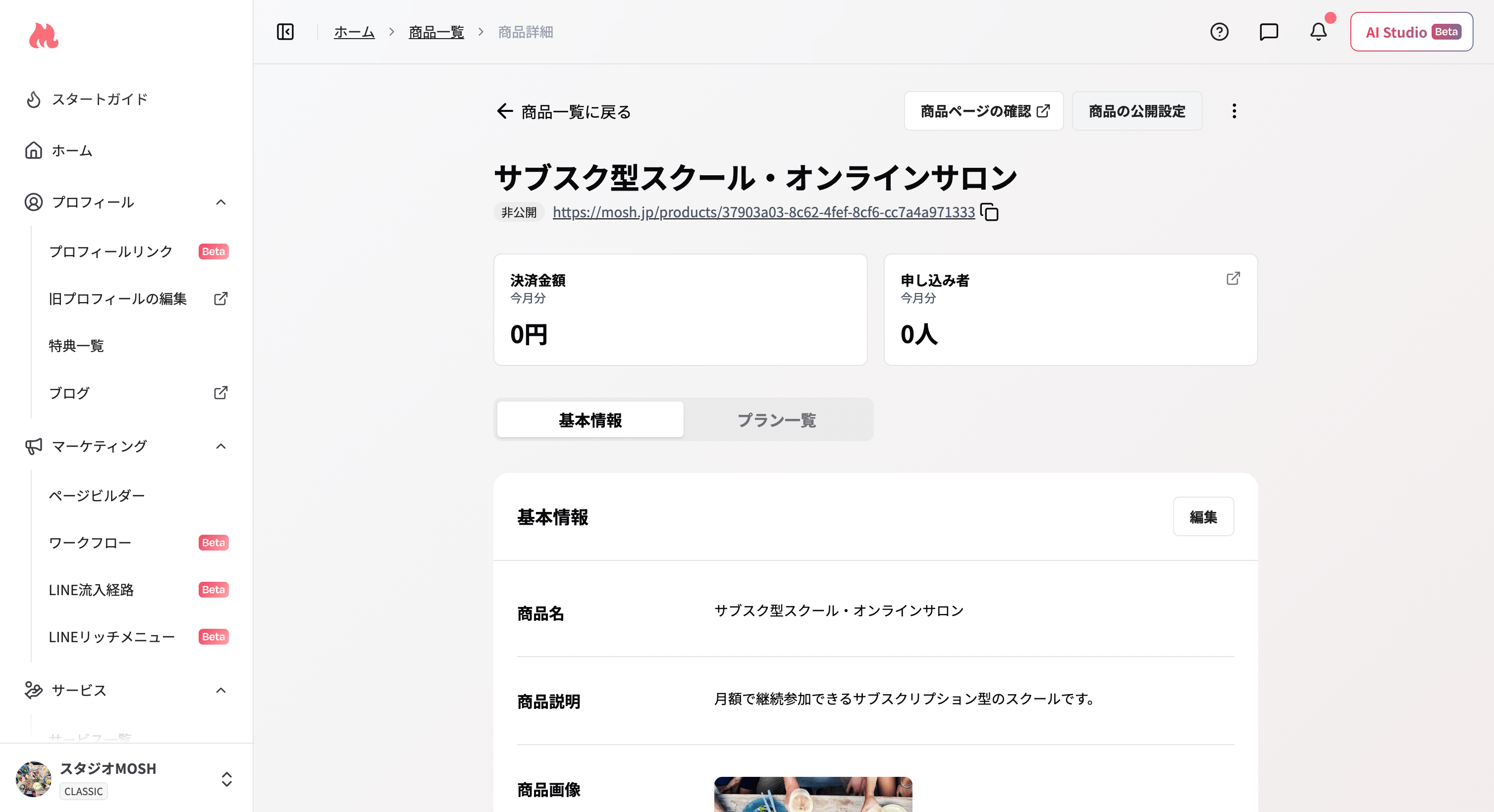 商品が非公開の場合、プランを公開にしてもゲストには表示されません。商品とプランの両方を公開にしてください。
商品を公開するには、事前に[事業者情報](/creator/business-settings/seller-info)の登録が必要です。
商品が非公開の場合、プランを公開にしてもゲストには表示されません。商品とプランの両方を公開にしてください。
商品を公開するには、事前に[事業者情報](/creator/business-settings/seller-info)の登録が必要です。